Introduction
If you’ve ever visited a large office, school, bank, or data center, you might assume that they use dozens of separate computers and servers to run their systems. A file server stores documents, another server hosts a website, another manages users, and yet another runs business applications.
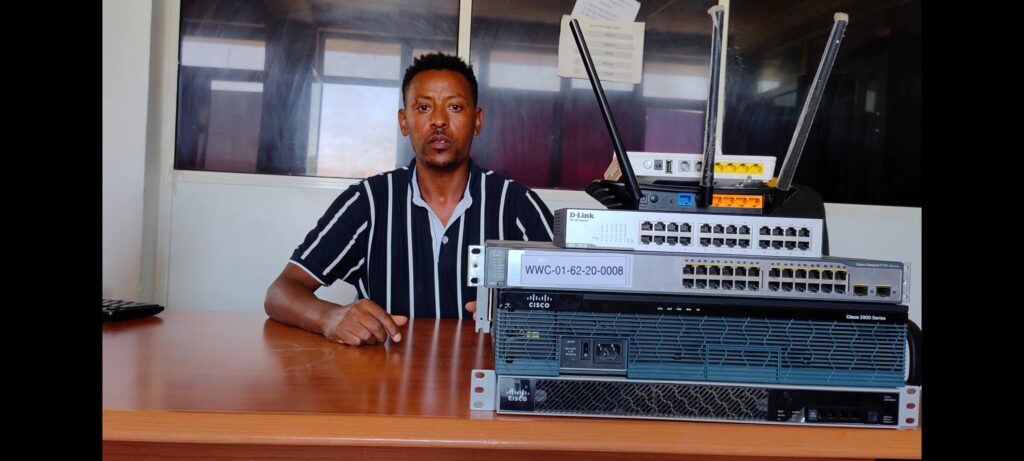
A few years ago, that assumption would have been correct. Organizations often purchased a separate physical server for every major task they needed to perform. While this worked, it came with several problems. Hardware was expensive, electricity bills increased, and maintaining multiple servers required both time and money.
The interesting part is that many of those servers were not even using their full power. A server with a powerful processor and large amount of memory might spend most of the day operating at only a fraction of its capacity.
This is exactly where virtualization changed everything.
Today, virtualization is one of the most important technologies in modern IT. It helps businesses save money, improve efficiency, simplify management, and make better use of their hardware resources. Whether you’re a networking student, an IT technician, a business owner, or simply curious about technology, understanding virtualization is a valuable skill.
👉 በቀላሉ ለማለት፣ ቨርቹዋላይዜሽን አንድ ኮምፒውተር ብዙ ኮምፒውተሮች እንደሚሰራ የሚያደርግ ቴክኖሎጂ ነው።
⏭ Watch Full Video Tutorial 👇
This video explains virtualization, virtual machines, hypervisors, and the benefits of server virtualization for modern businesses and IT professionals
What Exactly is Virtualization?
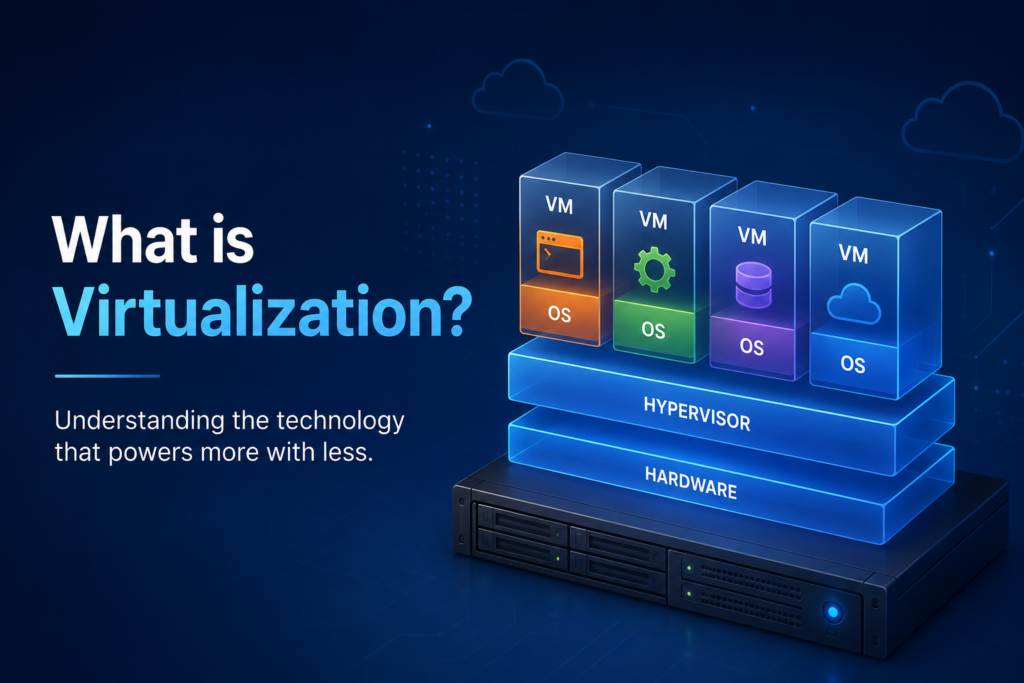
Virtualization is a technology that allows a single physical computer or server to run multiple independent virtual computers, known as Virtual Machines (VMs).
Each virtual machine behaves as though it were a real computer. It can have its own operating system, storage, applications, users, and network settings.
For example, a single physical server can run:
- Windows Server
- Ubuntu Linux
- Windows 11
- CentOS Linux
at the same time.
Even though all these systems are sharing the same hardware, each one works independently. If one virtual machine crashes, the others can continue operating normally.
Think of virtualization like an apartment building. The building itself is one structure, but multiple families can live inside separate apartments. Each family has its own space and activities without interfering with the others.
Virtualization works in a similar way. One physical server becomes the building, while the virtual machines become the apartments.
Why Was Virtualization Created?
Before virtualization became popular, companies often faced a frustrating problem.
Suppose a business needed:
- A file server
- A web server
- A database server
- An email server
The traditional solution was to buy four separate servers.
This created several issues:
Higher hardware costs
More electricity consumption
Additional cooling requirements
More physical space
More maintenance work
In many cases, these servers were underutilized and spent much of their time idle.
Virtualization solved this problem by allowing one powerful server to perform the work of multiple servers.
Instead of purchasing four physical machines, organizations could buy one powerful server and create four virtual servers inside it.
How Does Virtualization Work?
Behind every virtual environment is a special piece of software called a Hypervisor.
The hypervisor manages the physical hardware and distributes resources to virtual machines.
These resources include:
- CPU power
- RAM
- Storage
- Network access
Imagine a server with:
16 CPU cores
64GB RAM
2TB storage
The hypervisor can divide these resources among multiple virtual machines.
One virtual machine may receive:
4 CPU cores and 16GB RAM
Another may receive:
8 CPU cores and 32GB RAM
The remaining resources can be assigned to other virtual machines.
To users, each virtual machine appears to be a completely separate computer.
A Real-World Example
Let’s imagine a medium-sized school in Bahir Dar.
The school wants to provide:
Student records management
File sharing
A school website
Online learning resources
Without virtualization, they may purchase four separate servers.
With virtualization, one powerful server can host four virtual machines:
VM1 – File Server
VM2 – Database Server
VM3 – Web Server
VM4 – Learning Management System
The result is lower costs, simpler maintenance, and better resource utilization.
This is one of the reasons virtualization has become so popular in schools, universities, and businesses around the world.
Benefits of Virtualization
Reduced Hardware Costs
One of the biggest advantages of virtualization is cost savings.
Organizations no longer need to purchase separate hardware for every service. By consolidating workloads onto a single server, they can significantly reduce infrastructure expenses.
Better Resource Utilization
Many physical servers use only a small percentage of their available processing power.
Virtualization helps maximize resource usage by allowing multiple workloads to share the same hardware efficiently.
Easier Backup and Recovery
Virtual machines can be backed up more easily than physical servers.
If a system fails, administrators can restore a virtual machine quickly and minimize downtime.
Faster Deployment
Need a new server?
Instead of ordering hardware and waiting days or weeks, administrators can create a new virtual machine in minutes.
This flexibility is one reason businesses love virtualization.
Safe Testing Environment
Students and IT professionals often use virtualization to test software, practice networking, or learn server administration.
You can create a virtual machine, experiment freely, and simply delete it if something goes wrong.
No risk to your main computer.
👉 ለተማሪዎች እና IT ባለሙያዎች ቨርቹዋላይዜሽን በጣም ጠቃሚ የመማሪያ መሳሪያ ነው።
Types of Virtualization
Virtualization is not limited to servers.
Server Virtualization
The most common type.
Multiple virtual servers run on one physical server.
Desktop Virtualization
Users access virtual desktops hosted on centralized servers.
This is common in schools and large offices.
Storage Virtualization
Multiple storage devices are combined into a single logical storage system.
Network Virtualization
Network components such as switches, routers, and firewalls can be created virtually using software.
This technology is widely used in cloud computing environments.
Popular Virtualization Platforms
Several virtualization platforms are used today.
VMware
One of the most widely used enterprise virtualization solutions.
Microsoft Hyper-V
A virtualization platform built into Windows Server.
VirtualBox
Free and beginner-friendly.
Popular among students and IT learners.
Proxmox
An open-source platform that has become increasingly popular due to its flexibility and powerful features.
Many IT professionals use Proxmox for home labs and business environments.
Virtualization and Cloud Computing
When people hear about cloud computing, they often don’t realize virtualization plays a major role behind the scenes.
Many cloud services rely on virtual machines.
When you rent a cloud server, there is a good chance you are actually renting a virtual machine running on a larger physical server.
This allows cloud providers to efficiently serve thousands of customers using fewer physical machines.
Common Mistakes Beginners Make
One common mistake is creating too many virtual machines without enough RAM.
Another mistake is assigning excessive resources to virtual machines and leaving too little for the host system.
Some beginners also forget to monitor storage usage, which can lead to performance issues later.
Virtualization is powerful, but proper planning is important.
Is Virtualization Worth Learning?
Absolutely.
Virtualization is used in:
- Networking
- Cybersecurity
- Cloud Computing
- Server Administration
- IT Support
- Data Centers
Understanding virtualization can help you advance your technical skills and open doors to many IT career opportunities.
Even basic knowledge of virtualization gives you a better understanding of how modern IT systems operate.
Frequently Asked Questions
Can I use virtualization on my personal computer?
Yes. Many people use VirtualBox or VMware Workstation on their laptops and desktops for learning and testing.
Is virtualization only for large companies?
No. Small businesses, schools, students, and home users can all benefit from virtualization.
Can I run Linux and Windows on the same computer?
Yes. Virtualization allows multiple operating systems to run simultaneously on a single machine.
Does virtualization slow down performance?
There is a small overhead, but modern computers handle virtualization very efficiently.
Which virtualization software is best for beginners?
VirtualBox is often recommended because it is free and easy to learn.
Final Thoughts
Virtualization has transformed the way modern IT infrastructure is built and managed. Instead of purchasing multiple physical servers, organizations can now run several virtual machines on a single piece of hardware while reducing costs and improving efficiency.
Whether you’re learning networking, managing business systems, or simply exploring technology, virtualization is a concept worth understanding. It is no longer just a technology used by large corporations—it has become a fundamental part of modern computing.
👉 በአጠቃላይ፣ ቨርቹዋላይዜሽን የዘመናዊ IT ስርዓቶች መሰረታዊ ቴክኖሎጂ ሲሆን ወጪን ይቀንሳል፣ አፈጻጸምን ያሻሽላል እና ስራን ቀላል ያደርጋል።
Need Professional IT Support?
BlueWave Technology provides professional:
✓ Computer Maintenance & Repair
Contact us today to help your business build a reliable and secure IT infrastructure