💻 Introduction
Have you ever wondered what’s inside your computer? 🤔
We use computers every day—for work, study, entertainment, and communication—but most people don’t fully understand what makes them work. When a computer becomes slow or stops working, understanding its internal components can make a huge difference.
A computer is not just one machine—it is a combination of different hardware parts working together as a system. Each component has its own role, and if one part fails, the entire system can be affected.
In this guide, you’ll learn about the main internal parts of a computer and what they do, explained in a simple and practical way.
👉 ኮምፒውተር ብዙ አካላት በአንድ ላይ ተሰርቶ የሚሰራ ስርዓት ነው።
🧠 What is Computer Hardware?
Computer hardware refers to the physical parts of a computer—the things you can touch and see.
This includes components inside the system unit as well as external devices like keyboards and monitors.
Unlike software (programs and applications), hardware is the foundation that makes everything possible.
Without hardware, software cannot run.
⏭ Watch Full Video Tutorial 👇
👉 This video explains the main computer hardware components and how they work together in a real system.
⚙️ The Most Important Computer Hardware Components
Let’s explore the main components one by one in a way that’s easy to understand.
🧠 CPU (Central Processing Unit) – The Brain of the Computer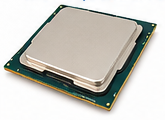
The CPU is often called the brain of the computer, and for a good reason.
It is responsible for processing instructions and performing calculations. Every time you open a program, browse the internet, or even move your mouse, the CPU is working behind the scenes.
A faster CPU means your computer can handle tasks more quickly and efficiently.
👉 CPU የኮምፒውተሩ አእምሮ ነው፤ ሁሉንም ትእዛዞች ያስኬዳል።
⚡ RAM (Random Access Memory) – Short-Term Memory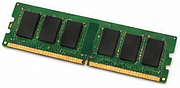
RAM is like your computer’s short-term memory.
It temporarily stores data that the CPU needs while running programs. The more RAM your computer has, the more tasks it can handle at the same time without slowing down.
For example, if you open many browser tabs or run multiple applications, RAM plays a key role in keeping everything smooth.
👉 If your RAM is low, your computer may freeze or lag.
💾 Storage (HDD & SSD) – Long-Term Memory 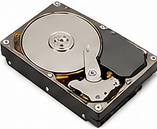
Storage devices are where your data is permanently saved—files, programs, photos, videos, and the operating system.
There are two main types:
HDD (Hard Disk Drive):
- Older technology
- Slower performance
- Larger storage capacity
SSD (Solid State Drive):
- Much faster
- No moving parts
- Improves overall speed significantly
👉 Upgrading from HDD to SSD is one of the best ways to boost performance.
👉 SSD መጠቀም ኮምፒውተርን በጣም ያፋጥናል።
🧩 Motherboard – The Main Connection Hub 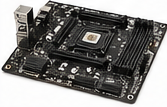
The motherboard is the main circuit board that connects all components together.
Every part—CPU, RAM, storage, and more—is connected to the motherboard. It allows communication between all hardware components.
Without a motherboard, your computer simply cannot function.
🎮 GPU (Graphics Processing Unit) – 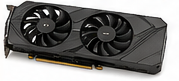
The GPU is responsible for rendering images, videos, and graphics.
It is especially important for:
- Gaming
- Video editing
- Graphic design
Some computers have a dedicated GPU, while others use integrated graphics built into the CPU.
🔌 Power Supply Unit (PSU) – The Energy Source 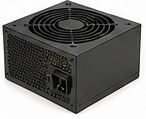
The PSU supplies power to all parts of the computer.
It converts electricity from your wall outlet into usable power for the internal components.
If the power supply fails, the entire computer will stop working.
🌬️ Cooling System – Preventing Overheating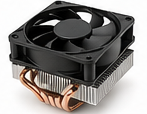
Computers generate heat when they operate.
Cooling systems—such as fans or heat sinks—help keep the temperature under control.
Overheating can cause:
- Slow performance
- System crashes
- Hardware damage
👉 Keeping your system cool is essential for long-term performance.
🔄 How All Components Work Together
Understanding each component individually is important—but what really matters is how they work together.
When you open a program:
- The storage device loads the data
- RAM temporarily holds it
- CPU processes it
- GPU displays visuals
- Motherboard connects everything
This coordination happens in seconds, creating a smooth user experience.
👉 ሁሉም አካላት በአንድነት ሲሰሩ ኮምፒውተር ይሰራል።
🔍 Real-Life IT Experience
In many computer repair cases, especially in local environments, problems are often caused by hardware issues such as:
- Low RAM
- Slow HDD
- Overheating
- Faulty power supply
In many situations, upgrading just one component—like switching to SSD or adding RAM—can dramatically improve performance without replacing the entire computer.
❓ Frequently Asked Questions
Do I need to upgrade all components?
No. Start with the most impactful upgrades like SSD or RAM.
Which component affects speed the most?
SSD and RAM usually provide the biggest improvements.
How do I know if my hardware is failing?
Common signs include:
- Slow performance
- Random shutdowns
- Overheating
✅ Conclusion
A computer is a powerful system made up of different hardware components working together.
Understanding these parts helps you:
- Troubleshoot problems
- Upgrade wisely
- Improve performance
You don’t need to be an expert to learn the basics—but this knowledge can save you time, money, and frustration.
👉 የኮምፒውተር አካላትን መረዳት ለማንኛውም ተጠቃሚ አስፈላጊ ነው።
📞 Need Help?
If you need help upgrading, repairing, or diagnosing your computer, BlueWave Technology provides professional computer services to keep your system running fast and efficiently.